Console
Every node serves a web console at the root of its admin listener, http://node:9090/. It is embedded in the binary, so there is nothing to deploy. The console is a client of the Admin API, so it can do nothing the API cannot, and any node's console shows the whole cluster.
Signing in
With auth off the console opens directly. With --auth required it asks for a token whose scope includes the admin audience, see Authentication.
- Storage. The token stays in the tab's session storage and goes out as a bearer header on every call. Sign out clears it.
- Rejection. A wrong, revoked, or expired token sends the console back to sign in.
- Scope. Lists show only what the token may see, and an action outside its scope fails with the API's error.
Pages
| Page | Shows | Actions |
|---|---|---|
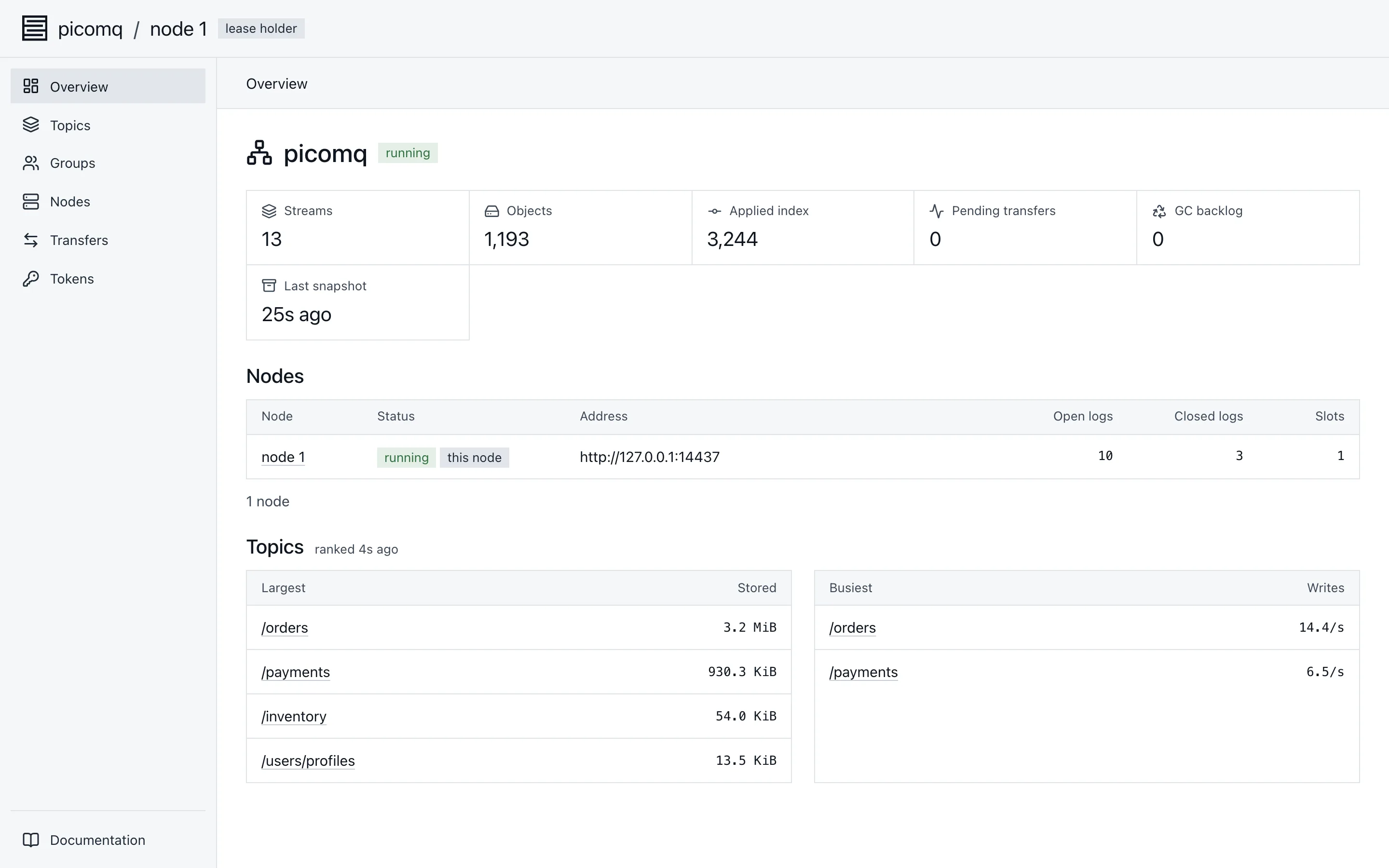
| Overview | Cluster counts, the nodes, and the ten largest and ten busiest topics. Write rates appear about a minute after the overview is first opened on a node, see /admin/overview | |
| Topics | Topics by name, with a prefix search | Create topic |
| Topic | Messages, Partitions, and Configuration tabs | Produce, trim a partition, grow partitions, change retention, delete |
| Groups | Groups with state, member count, and coordinator | |
| Group | Offsets with lag, and members with their assignments | Reset offsets, delete a topic's offsets, delete the group |
| Nodes | Nodes with their open and closed logs and slots, and a page per node with live charts | Edit slots |
| Transfers | Partitions moving between nodes | Move a partition |
| Tokens | Tokens with their scope, issuer, and expiry | Issue, revoke |
Messages
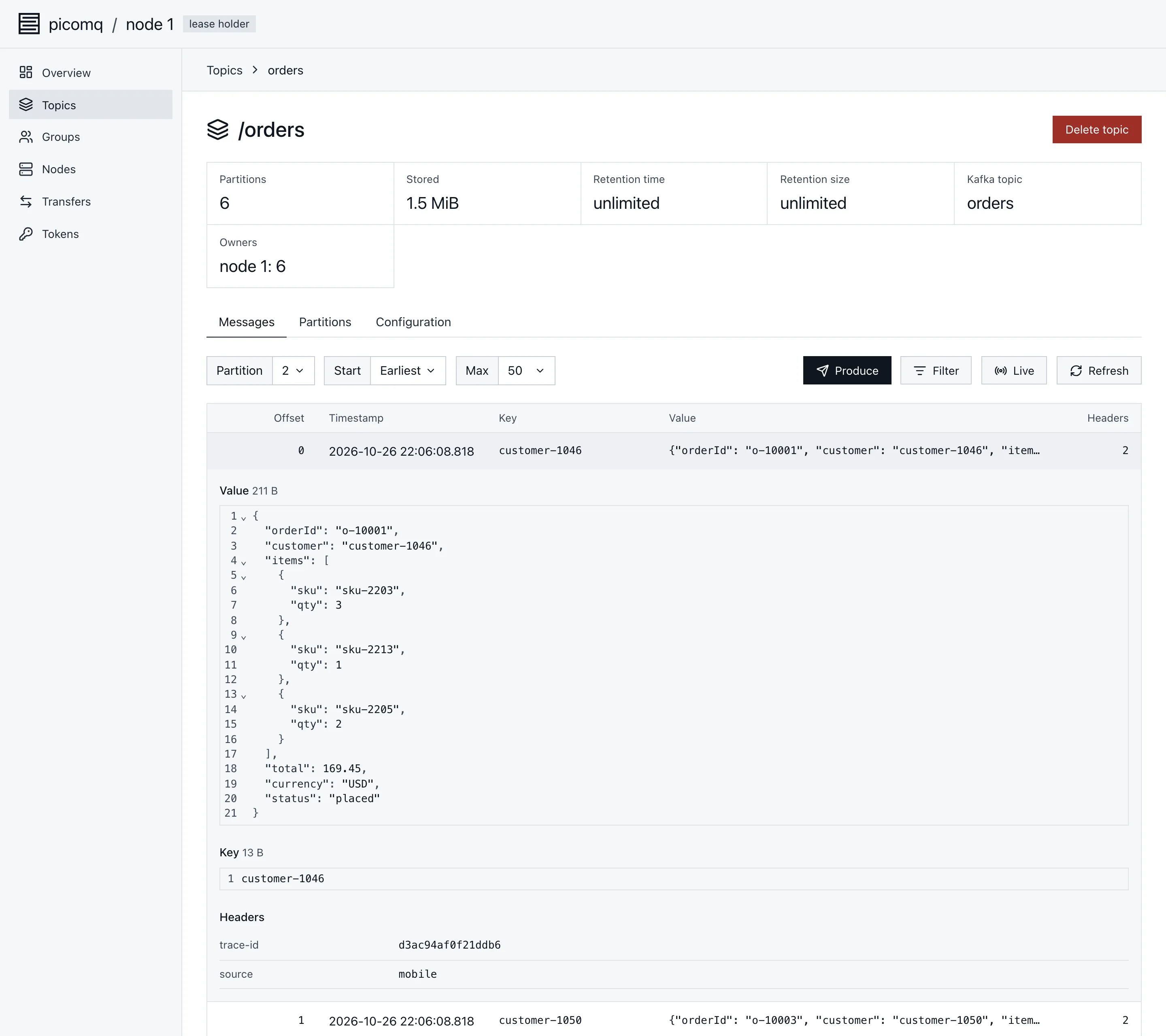
The Messages tab browses one partition at a time.
- Start. Latest shows the newest records, Earliest the oldest still kept. Offset and Time jump to a position, Time to the first record at or after the moment picked.
- Filters. Key, value, and header filters match text the field contains, and run on the partition's owner as Records describes, so a selective filter can take a few pages to fill.
- Live. Follows new records as they arrive, keeping the last
1,000on screen. - Records. Clicking a row opens the record in full: the value and key, formatted when they are JSON, and the headers in order. Binary data shows as hex.
- Produce. Writes one record with a key, value, and headers to a chosen partition, then offers to show it.
Consumer groups
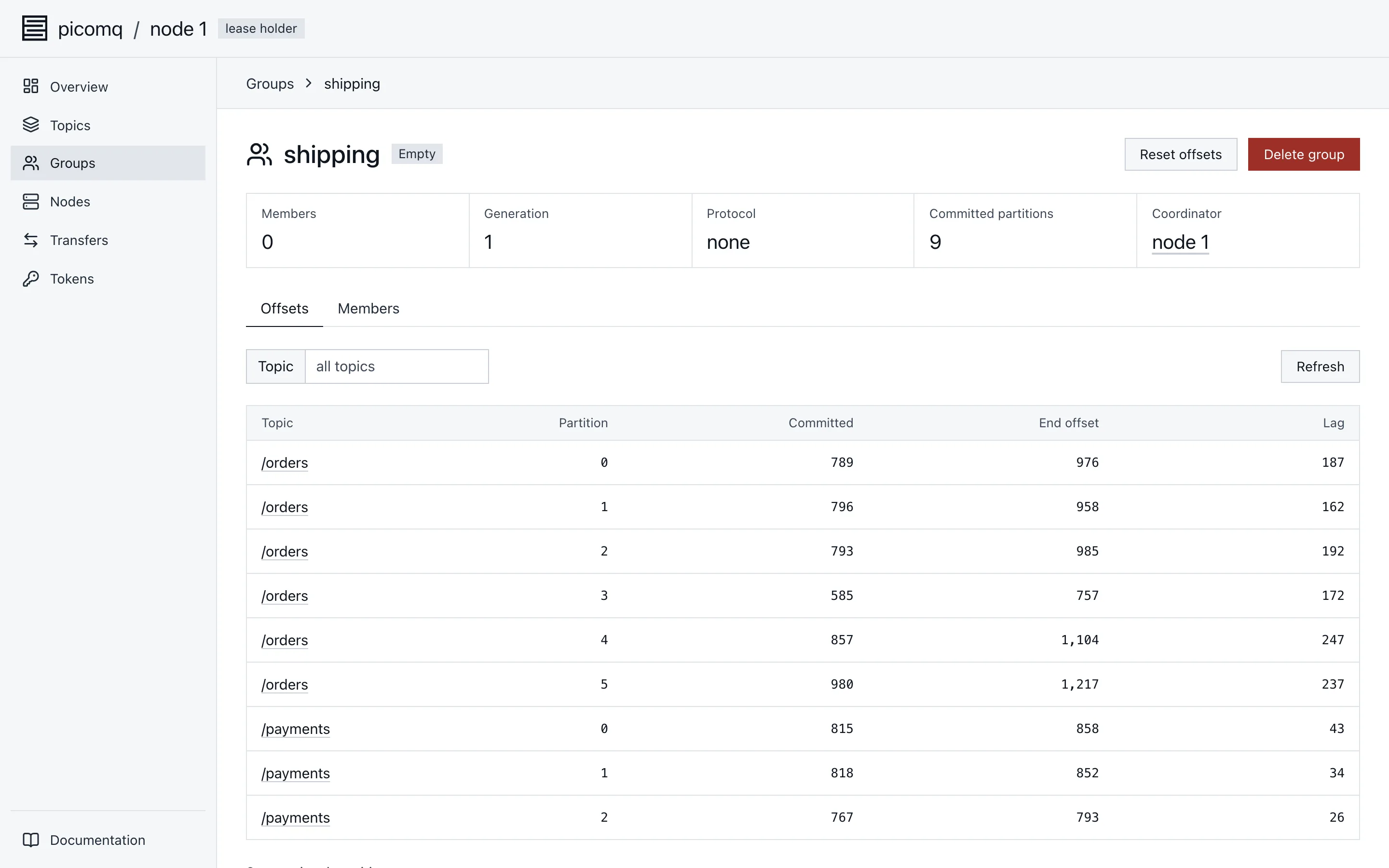
The Offsets tab lists each committed partition with its committed offset, the partition's end offset, and the lag between them, read live from the partitions' owners. Resets and deletes need a group without members, see Consumer groups, so stop the consumers first.
Nodes
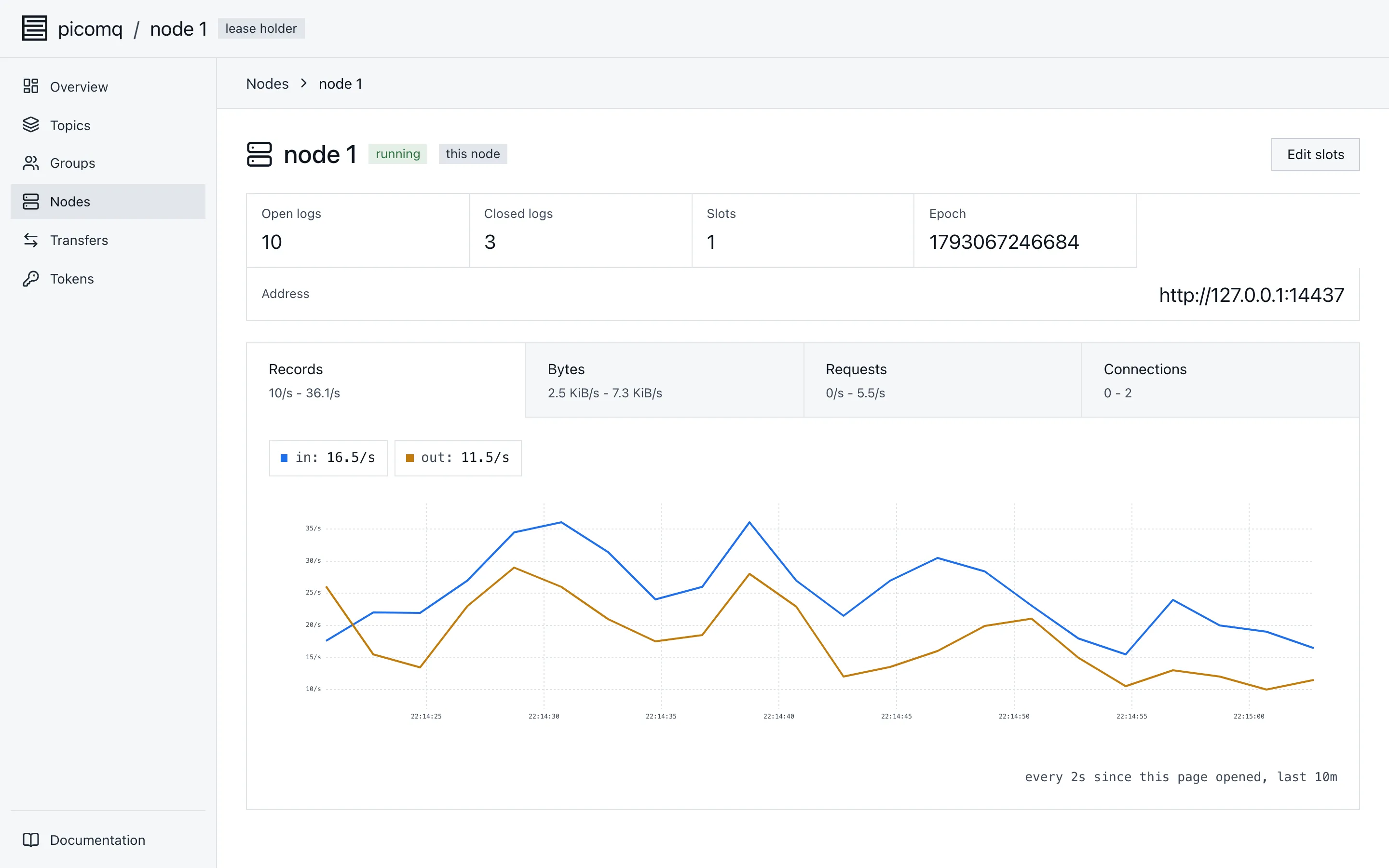
A node's page charts records, bytes, requests by status, and connections by listener. It samples the node's metrics every 2 seconds while the page is open and keeps the last 10 minutes, so longer history belongs in Prometheus.
Large clusters
The console follows the API's paging, so every page costs the same however many topics, partitions, or groups the cluster holds.
- Paging. Tables load a page at a time as you scroll, and searches run on the server.
- Order. Tables keep the API's order and never sort a partial list.
- Records. Values in the Messages table are previews, and the full record loads only when opened.